

A Progressive Web App (PWA) is a web application that works like a native mobile app—it can be installed on a phone, work offline, send notifications, and feel fast—but it lives on the web instead of in an app store. For small businesses, that distinction matters. You skip the $10,000+ development costs, the months of app store approval timelines, and the maintenance burden of building for iOS and Android separately. Instead, you get one codebase that works everywhere, installs with a tap, and updates instantly. This hub connects the core PWA posts on our site, organized by business type and use case, so you can find the strategy that fits your operation.
PWA vs Native App: Understanding the Trade-off
The decision between a PWA and a native app shapes everything downstream: your budget, timeline, team needs, and long-term maintenance load. For most small businesses, the comparison isn’t close.

PWA vs Native App: The Small Business Reality Check walks through the exact cost and complexity gaps between the two approaches. The post argues that native apps make sense only if you need deep hardware access (camera, GPS in very specific ways) or have the budget to support multiple codebases. For service delivery, client communication, product catalogs, and event-driven sales, a PWA does the job at a fraction of the cost. This is the post to read first if you’re still weighing whether a PWA is worth exploring for your business.
PWAs for Customer Retention and Experience
The best PWA use cases solve a customer problem that native apps address, but in a way that actually fits small business operations. Two distinct scenarios emerge: one-time event traffic that needs to convert into repeat business, and service providers who need a centralized hub for ongoing client relationships.

How Pop-Up Vendors Can Keep Customers After the Event Using a PWA speaks directly to vendors who operate seasonally or in multiple locations. The argument is straightforward: you get foot traffic at an event, but once the weekend ends, you lose contact. A PWA lets you distribute a QR code at your booth that installs instantly, then send push notifications about your next location, new products, or special offers. No app store downloads. No friction. The post shows how this approach works for farmers markets, craft fairs, and pop-up shops—places where you can’t rely on customers remembering to search your name in the App Store.

How High-Touch Service Providers Can Organize Client Resources With a PWA tackles a different retention problem: consultants, coaches, and fractional advisors often juggle multiple clients, each needing access to different documents, processes, and meeting notes. This post frames a PWA as a branded client portal—a single place where clients log in and find their dashboard, SOPs, recordings, and next steps. The value isn’t the technology; it’s the organization and the signal it sends: this provider is professional and accessible. For service businesses competing on responsiveness and expertise, a PWA client room becomes part of your brand.
PWAs for Location-Based and Rural Businesses
Geography shapes mobile strategy. Rural and tourism-focused businesses face specific constraints: limited foot traffic, dispersed customers, and a need to drive discovery.
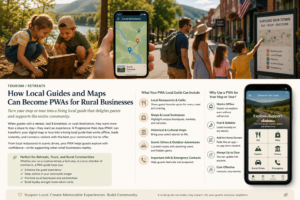
How Local Guides and Maps Can Become PWAs for Rural Businesses reimagines what a local guide can do when it’s not just a static website. A PWA version of a tourism map or rural business directory can be installed on a visitor’s phone, work offline during sketchy service, and send updates when a nearby lodge has availability or a farm market opens. This post shows how PWAs let small tourism boards and rural cooperatives compete with centralized booking platforms by offering a faster, more personalized experience. The key insight: you’re not building an app to replace Google Maps. You’re building a niche guide that works better for your specific audience than a generic alternative.
Systems, Not Mindset: The Operational Reality
Many small business owners feel stuck in a cycle of responding to every message, every customer, every emergency. They tell themselves it’s a mindset problem—they need to “work smarter,” “set boundaries,” “delegate.” The truth is usually different.

Small Business Owner Work-Life Balance Isn’t a Mindset Problem. It’s a Systems Problem. Here’s the Fix. connects operational design to personal sustainability. While it’s not a PWA-specific post, it’s critical context for any small business owner considering one. The argument is that you can’t solve a systems problem with willpower. A PWA (like other operational tools) works because it removes friction from customer communication, centralizes information, and creates asynchronous interaction patterns that let you work when you choose to, not when a text lands. The post helps you think about why technology matters beyond “being digital”—it matters because it changes when and how you work.
Where to Start
If you’re new to PWAs, start with PWA vs Native App: The Small Business Reality Check. It’ll answer the question of whether a PWA fits your budget and timeline better than the native app path you might be considering.
From there, find the post that matches your business model. If you run events, markets, or seasonal operations, read about how pop-up vendors use PWAs for retention. If you’re service-based, the post on client resource organization will show you what a PWA client portal looks like in practice. If location and discovery are your bottlenecks, the rural and tourism guide will clarify how PWAs change what’s possible.
The deeper insight across all these posts is the same: a PWA isn’t about having the latest technology. It’s about solving a specific customer or operational problem without the cost and complexity of native app infrastructure. The question to ask isn’t “Should we have a PWA?” It’s “What would our customers or operations look like if communication, discovery, or access were frictionless?” That’s where the PWA conversation becomes useful.
In this collection
The complete set of articles in the PWA collection: